
Your data on your server. Our signature on every release.
KindDesk runs where you put it. We never see your tickets, and the only thing your install takes from us is software it checks before running.
KindDesk holds no security certifications of its own. How well your desk is protected also depends on the server you run it on; the doctor command and System status check the parts we can see.
Everything that leaves your server
Nothing else is sent anywhere. KindDesk has no telemetry and no usage analytics.
| What | Goes to | When |
|---|---|---|
| Your install’s address, licence token and version | Our licence server | Always, on a licensed install. No tickets, customers or usage figures. |
| Your install’s address and version | Our release server | When checking for an update |
| Ticket and article text | The AI provider you chose | Only when you add an AI key and use an AI feature |
| Your mail server or provider | Replies and notifications | |
| Ticket events | Your webhooks, chat channels and automations | Only the ones you set up |
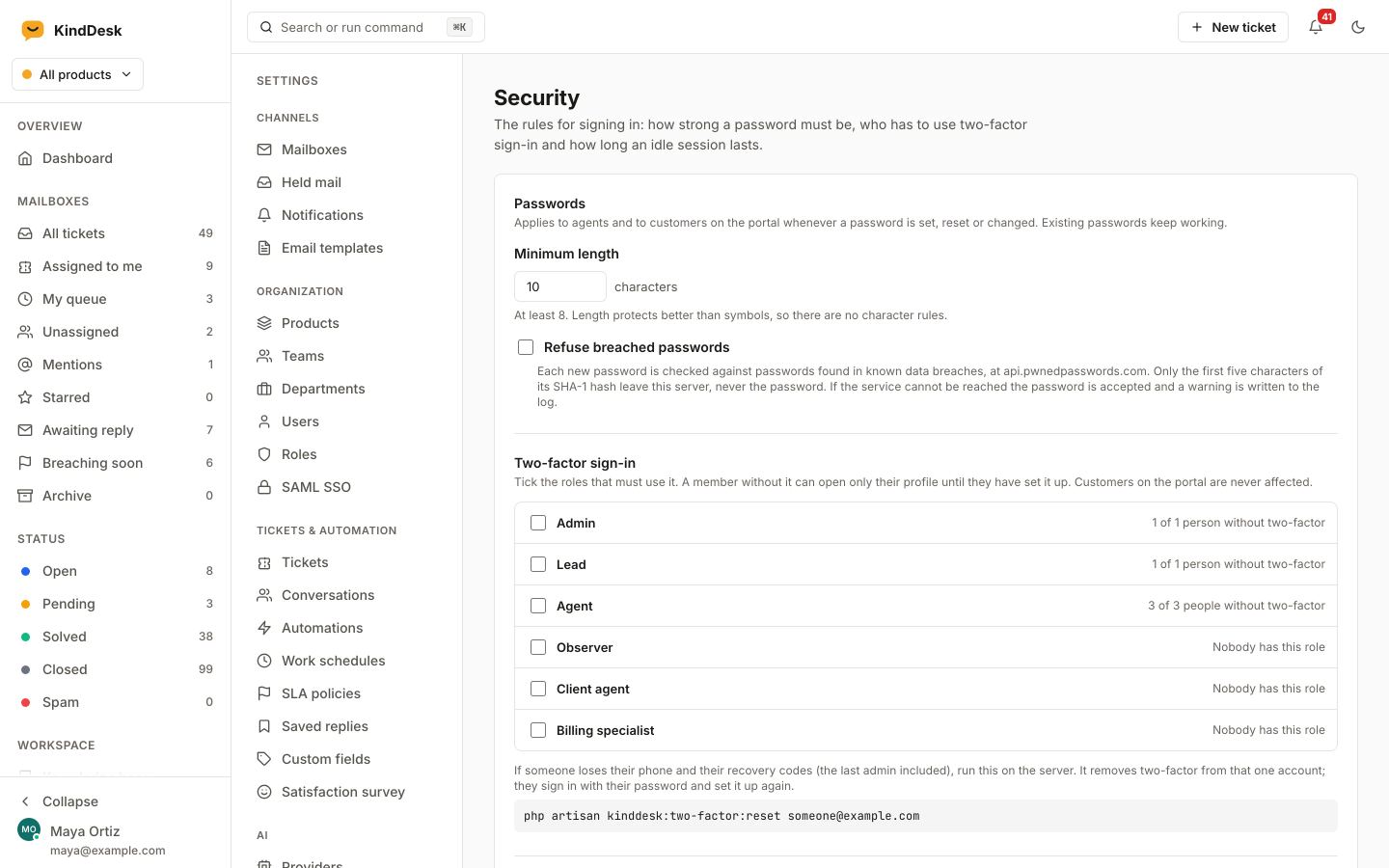
| First five characters of a password’s SHA-1 hash | Have I Been Pwned | Only if you turn on the breached-password check |
| An agent’s hashed email address | Gravatar | Only if you turn on Gravatar avatars |
Signed releases
Every release is signed with our Ed25519 key. The installer and the updater check the signature against a key built into KindDesk and refuse anything else, so even a tampered release server cannot ship code to your install.
mvtLpxLc3/EXFv/YlOFif3HzVnyYpwaG481OtfFNyOM=Public key, id 29d9e28e8b8cd3c7. Updates snapshot the database first and can be rolled back. How updates work.
Who can sign in, and what they can reach
- Two-factor sign-in with an authenticator app or an emailed code, with recovery codes. Require it for the roles you choose.
- Password rules, an optional check against known data breaches, sign-in limits per address, and an idle sign-out.
- Each agent sees their signed-in devices and can end any of them.
- SAML single sign-on for agents.
- Custom roles from 54 permissions, and access limited to selected products where you need it.
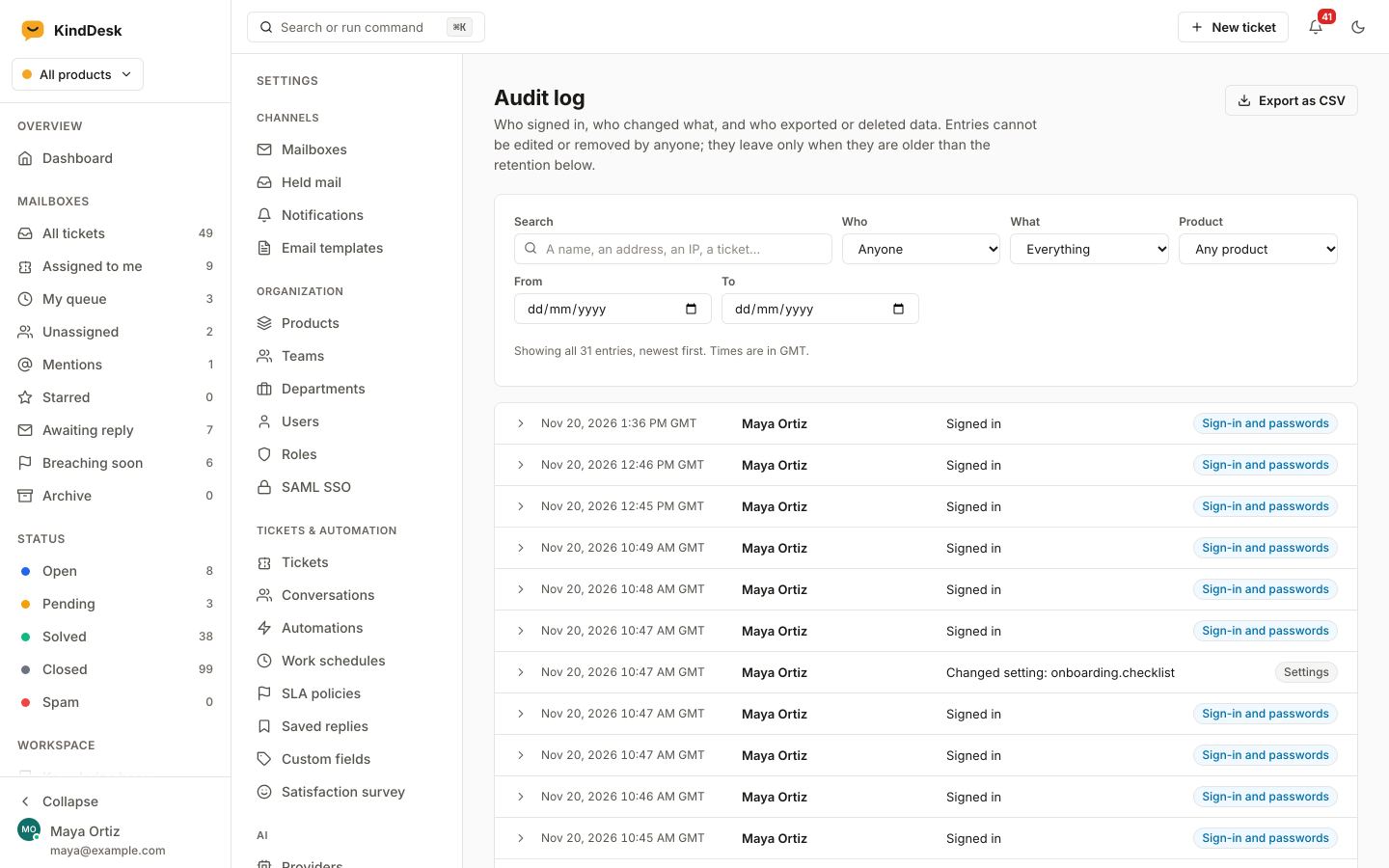
An audit log nobody can edit from inside KindDesk
Sign-ins and failed sign-ins, role and access changes, every settings change, API keys, mailboxes, data exports, licence changes, backups, updates and every opening of a customer’s shared credentials. Filter it, search it and export it as CSV.
Entries are kept for 365 days by default, or as long as you choose. A secret is recorded as changed, never its value.
Tools for data-protection requests
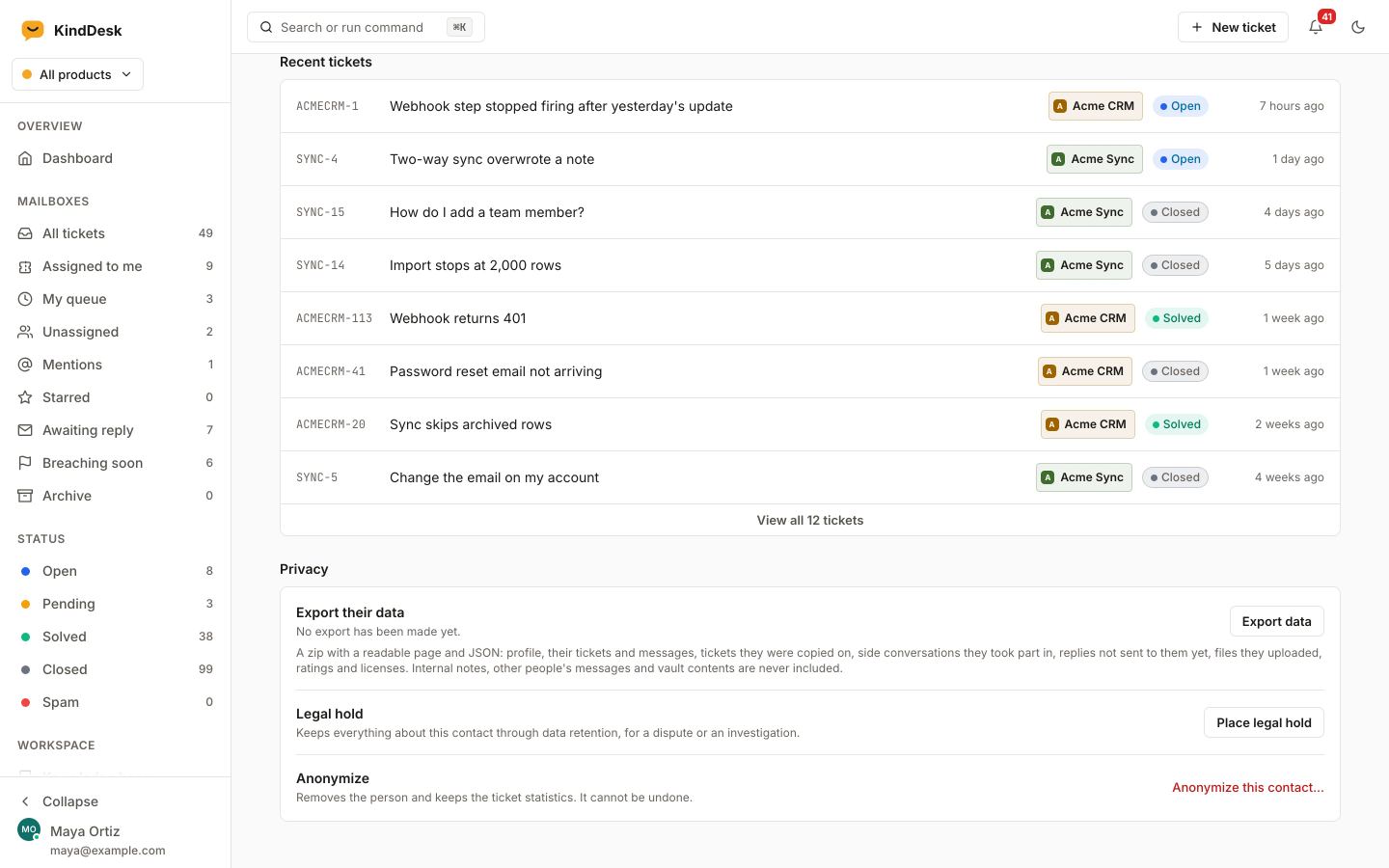
- Export everything stored about one person as a readable archive. Customers can request their own from the portal.
- Anonymize a person and keep the numbers: their name and address are removed from tickets, messages and the audit log, the statistics stay.
- Legal hold on a contact or a ticket, which retention never deletes.
- Retention rules that delete closed tickets or old attachments after the months you set, with a preview first.
KindDesk gives you the tools; when to use them is between you and your own legal advice.
Protections you do not have to set up
Before 1.0 we put the whole application through an internal security review: agent app, portal, widget, API, MCP, inbound mail, licensing, installer and updater. Each fix it led to comes with a test that fails without it.
- Mailbox passwords, API keys, two-factor secrets and settings are encrypted in your database.
- Attachments are stored privately under random names and only served to people allowed to see them.
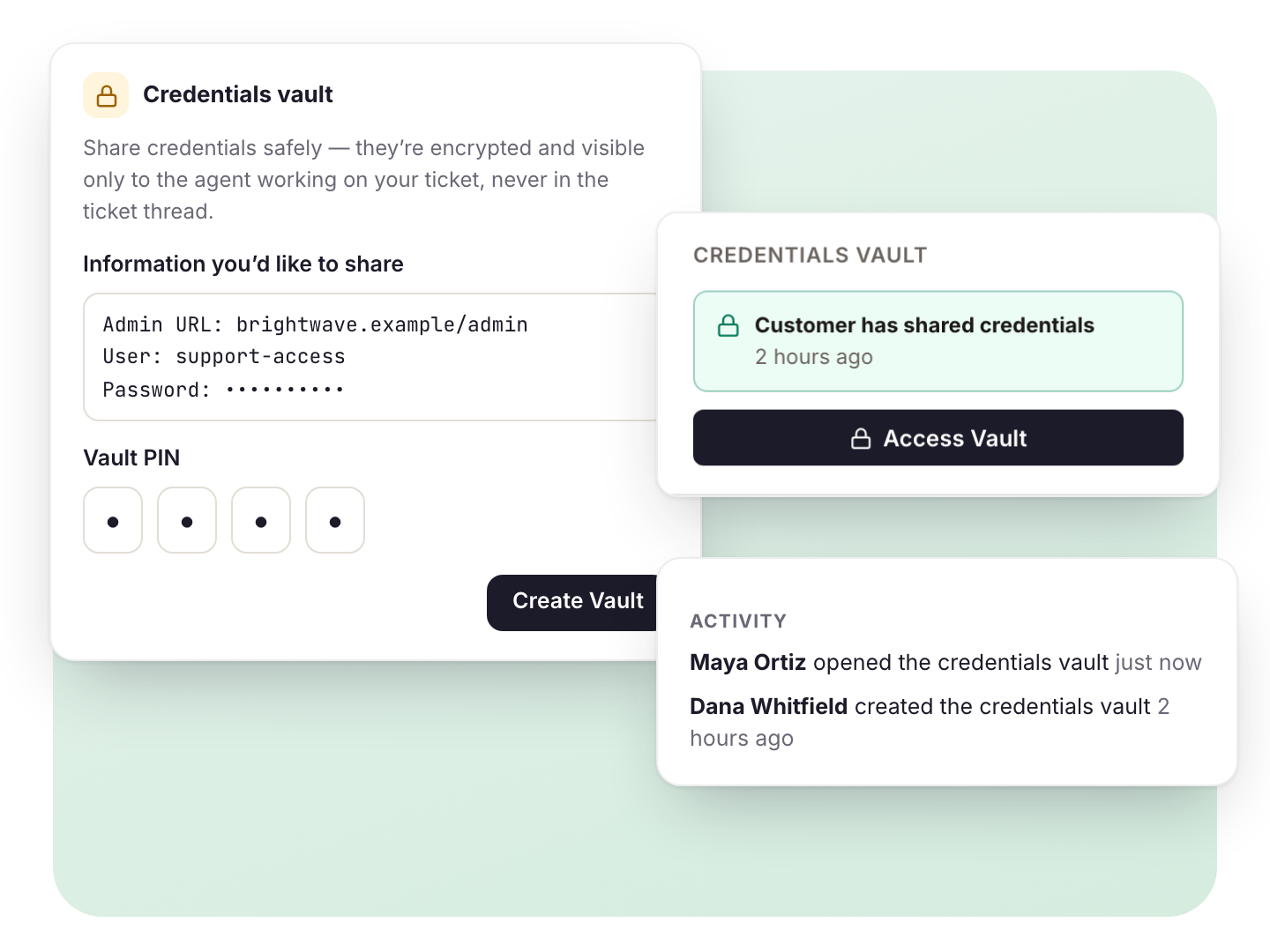
- Credentials a customer shares on a ticket are encrypted twice and open only for the assigned agent, with every opening logged.
- Webhooks are signed, and outgoing requests refuse to reach your internal network.
- Mail that claims a known customer’s address but fails DMARC is held for review instead of posting as them.
- The help widget only appears on the sites you list.
Report a security issue
Write to [email protected] with the details and how to reproduce it. Please give us time to fix it before you publish.
The same address is in our security.txt.

Run your next ticket on KindDesk
Create a free account to start your 30-day trial, then install KindDesk with one command or the browser installer.
30 days free, card required, cancel any time. The card is not charged during the trial; the yearly plan starts automatically unless you cancel before it ends. Accounts privacy policy.